
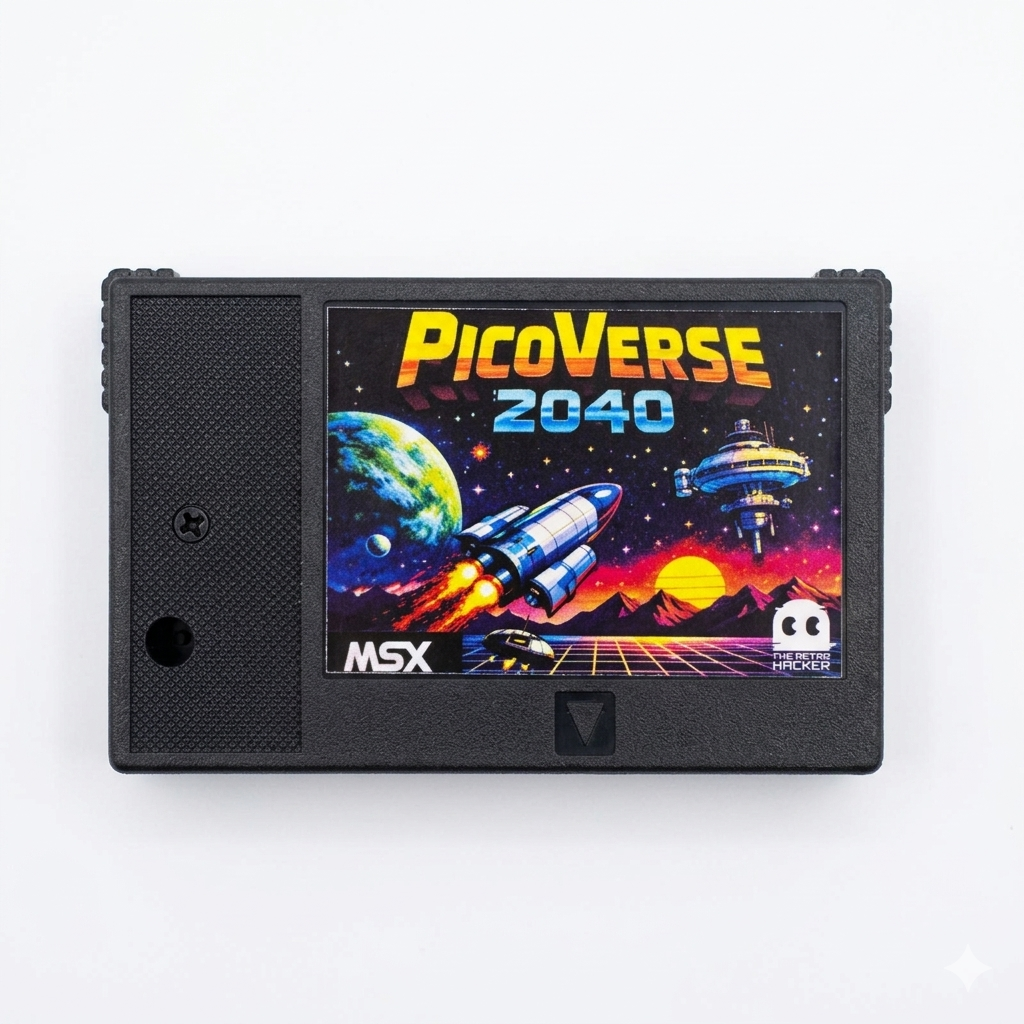
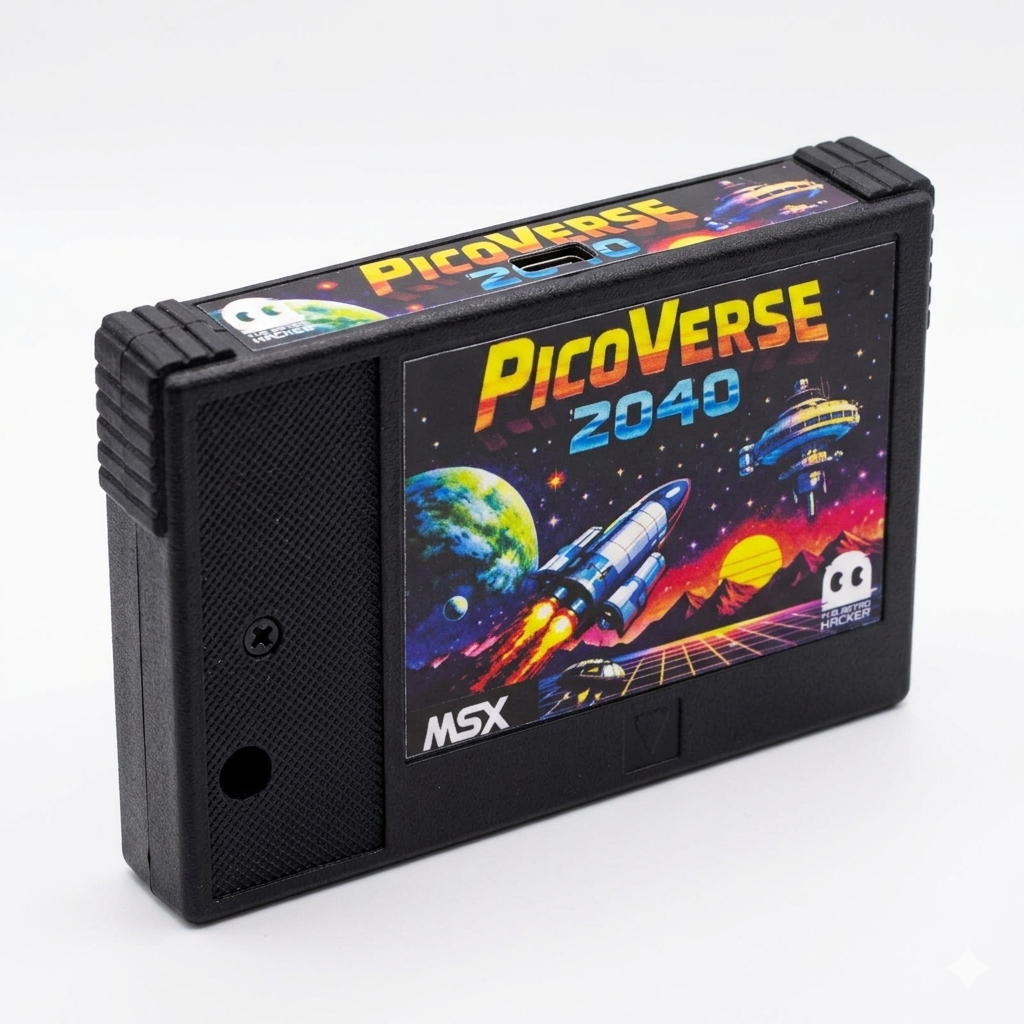
PicoVerse 2040 turns one cartridge slot into a complete MSX expansion platform.
Run big ROM libraries (and really big ROMs too!!!), boot Nextor from USB storage, connect modern keyboards and controllers, add MSX-MIDI, or convert PSG music to MIDI output. PicoVerse 2040 is not a simple ROM loader. It is a hardware product built to live on the MSX bus and extend what your machine can do without losing the feel of real hardware.
- Up to 128 ROMs in a single MultiROM image
- Wide mapper support, including Konami SCC, ASCII, NEO, PLA and PLN variants
- More than one role: ROM cartridge, Nextor interface, keyboard bridge, joystick adapter, MIDI device, and more…
Built for real MSX behavior, not a rough approximation
At the core of PicoVerse 2040 is the RP2040, directly wired to the MSX address, data, and control lines. Its PIO state machines watch slot activity, and return data with deterministic timing. That matters because compatibility on MSX is not just about file formats. It is about behaving correctly on the bus.
This is why PicoVerse 2040 can do more than launch software. It can serve ROMs, capture mapper writes, emulate Sunrise IDE for Nextor, bridge USB devices, and still feel like a native cartridge solution on the machine.
Run virtually any cartridge style you care about
Supports major MSX mapper families used by commercial games, utilities, and modern homebrew. That includes Konami, Konami SCC, ASCII 8, ASCII 16, ASCII 16-X, Plain 16/32, Planar 48/64, NEO 8/16, and the dedicated Manbow 2 mapper.
One device, multiple personalities
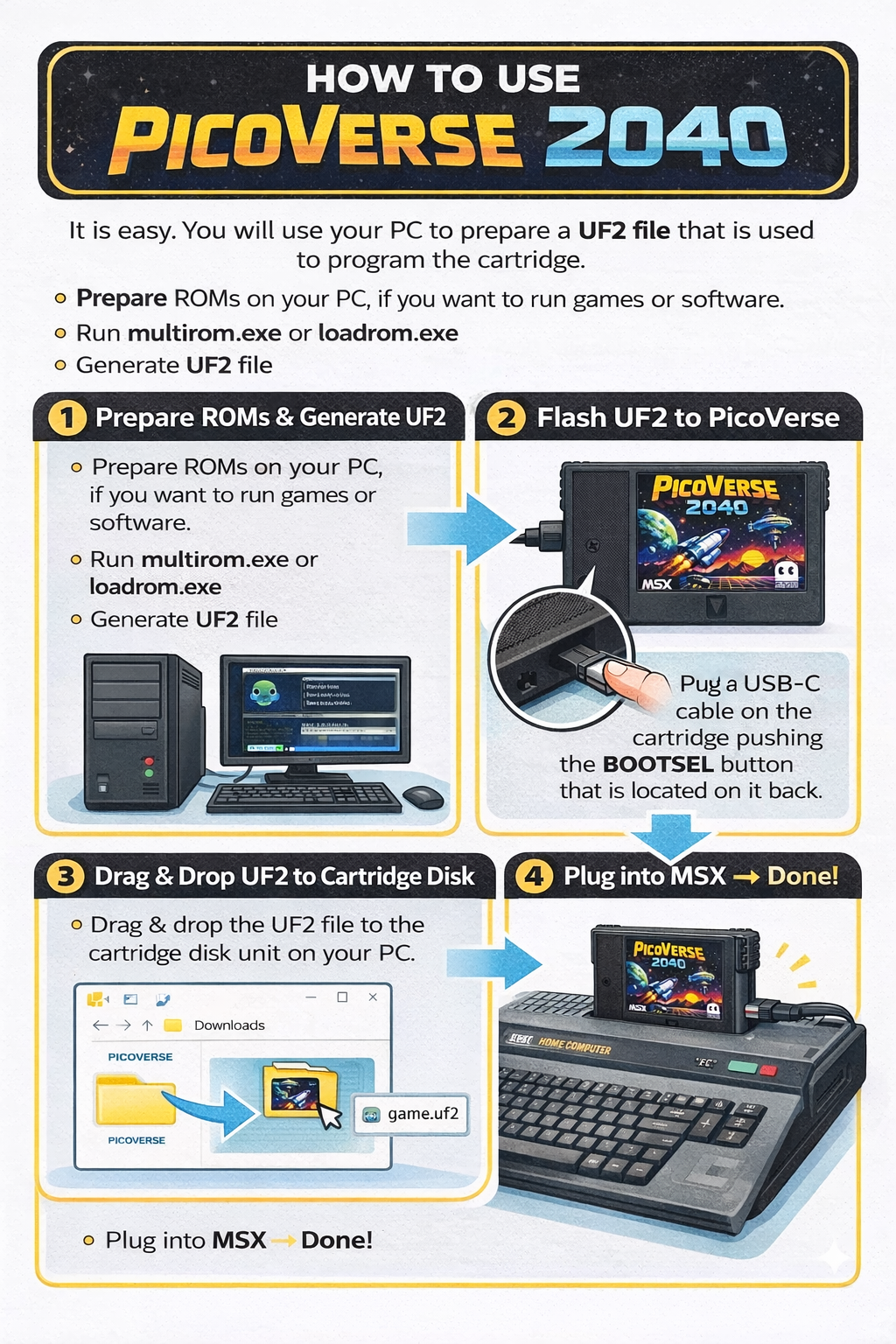
Generate a UF2 image on your Windows PC, copy it to the cartridge over USB, and PicoVerse becomes exactly the tool you need for that session: MultiROM, single-ROM cartridge, Nextor storage interface, keyboard bridge, joystick adapter, MSX-MIDI interface, or MIDI-PAC converter.
Hardware made for regular use
Factory-made ABS case, ENIG gold edge contacts, and a bus architecture designed around reliable timing on real machines. This is not a fragile experiment. It is a serious cartridge for people who actually use their MSX hardware.
What you can do with it?
Mode 1 – MultiROM
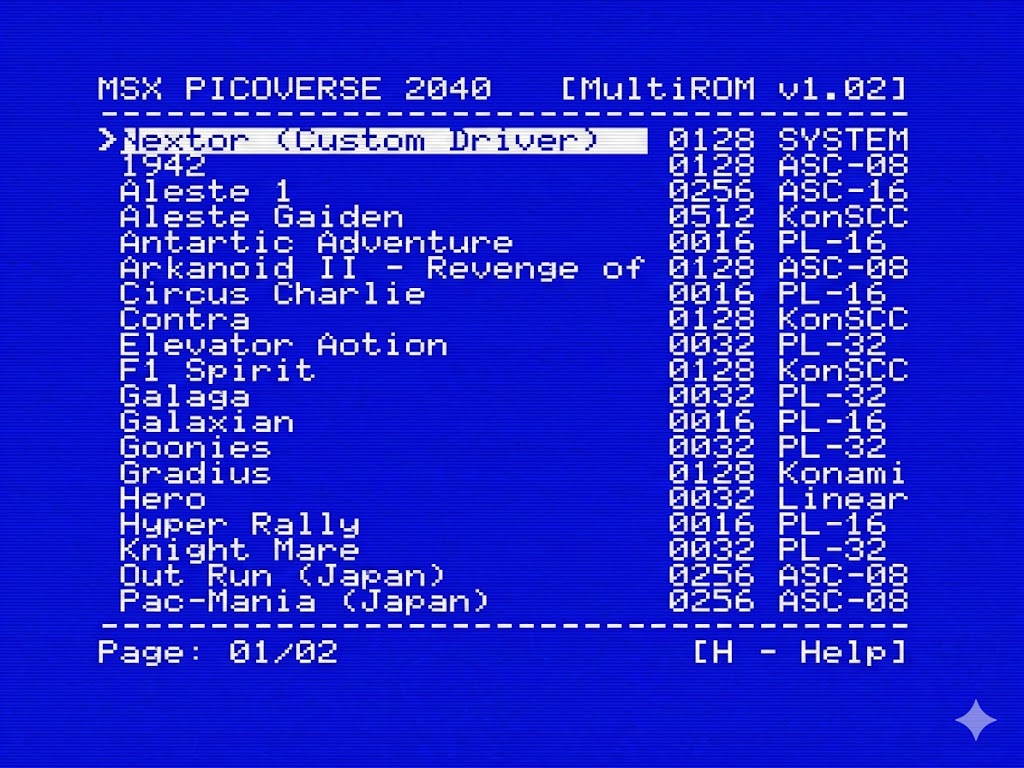
Carry a full game and utility library in one cartridge. PicoVerse 2040 can hold up to 128 ROMs with a menu built for fast selection and easy browsing.
-
-
-
-
- Up to 128 ROM entries
- Long names up to 50 characters
- Embedded openMSX SHA-1 database improves mapper detection
- Optional Nextor and Nextor plus 192KB mapper variants
-
-
-
Mode 2 – LoadROM
Flash a single title and make the cartridge behave like a dedicated game or application cart. It is the cleanest option when you want an appliance-like experience.
- Fast boot into one ROM
- Excellent for demos, utilities, and favorite games
- Keeps the feel of a real cartridge in daily use
Mode 3 – Nextor over USB-C
Sunrise IDE emulation lets your MSX boot Nextor and use a USB mass-storage device through the cartridge’s USB-C port. In mapper mode, PicoVerse also adds 192KB of mapper RAM.
- Boot Nextor DOS from a Sunrise-compatible interface
- Use flash drives and USB storage adapters
- Optional 192KB memory mapper mode
- Dual-core RP2040 design separates bus timing and USB host tasks
Mode 4 – Modern input on a classic machine
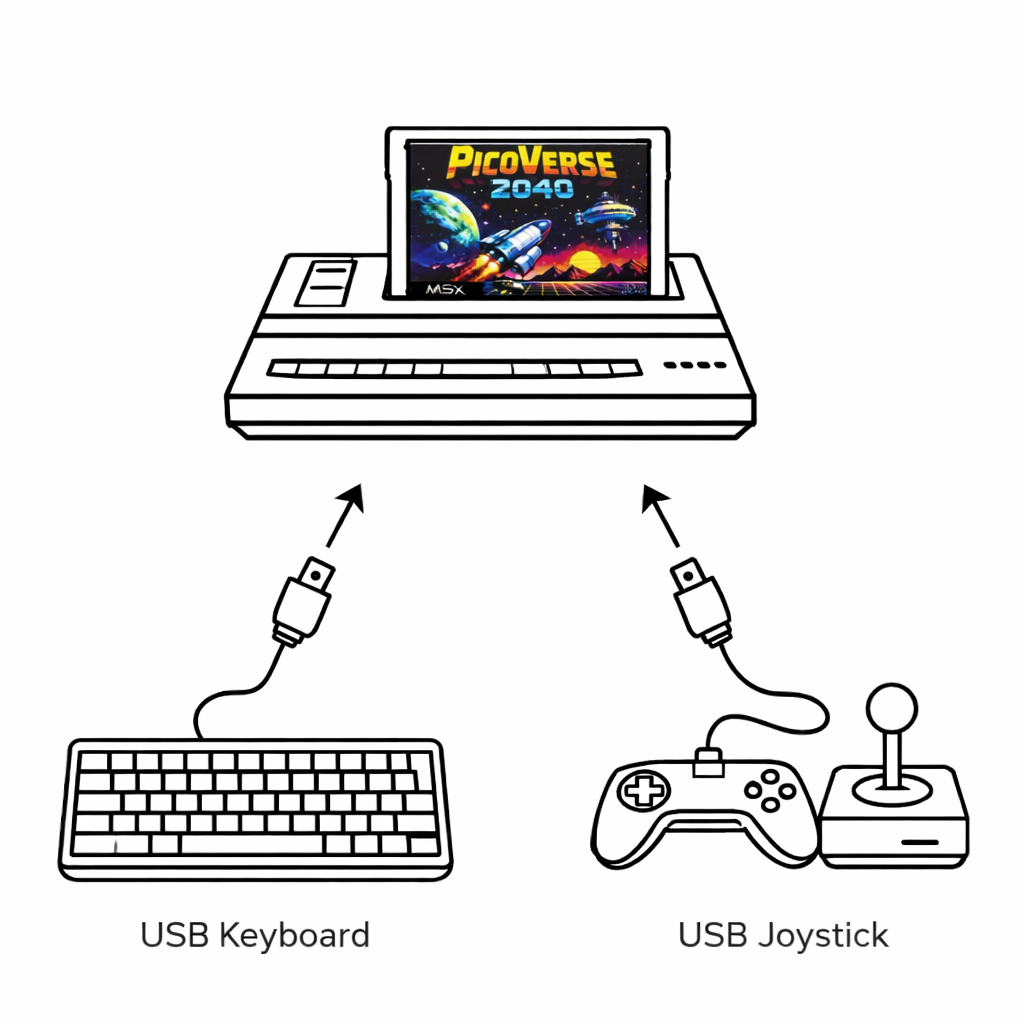
Use a standard USB keyboard as a native MSX keyboard, or connect USB gamepads that appear to the computer as native joysticks with no extra software on the MSX side.
- USB keyboard bridge with full matrix coverage and up to 6 simultaneous keys
- USB joystick support for common HID pads and Xbox controllers
- USB hub support for practical setups
- Joystick mode uses open-drain driving so the real PSG remains in control of sound output
Mode 5 – MSX-MIDI and MIDI-PAC emulation
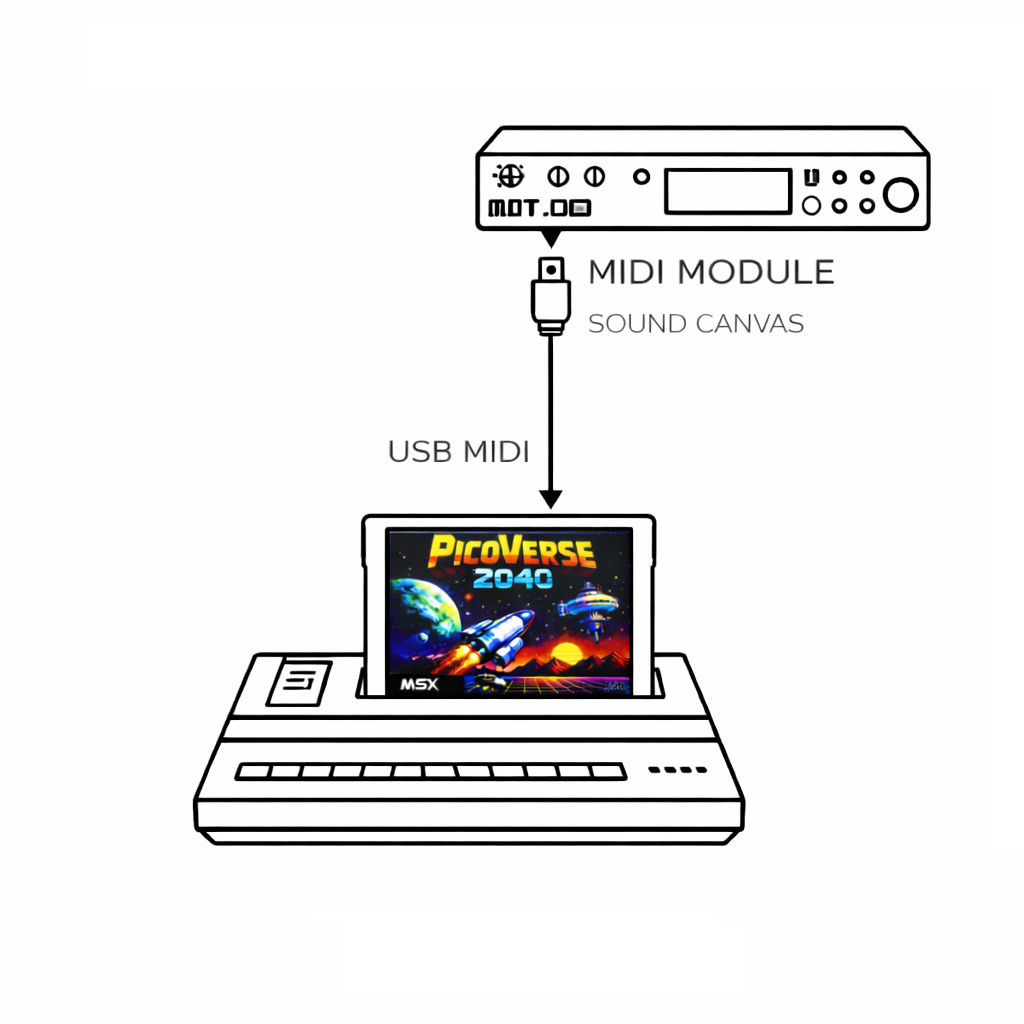
Turn PicoVerse 2040 into a standard MSX-MIDI interface or a PSG-to-MIDI converter for a completely different sound workflow.
- USB-MIDI support through the standard MSX-MIDI ports
- Works with MIDI software such as MIDRY
- MIDI-PAC mode listens to live PSG writes and converts them into a General MIDI-oriented stream
- Ideal for experimentation, recording, and external synth modules
Mode 6 – Open platform for serious MSX users
PicoVerse is fully open-source at the firmware, tool, and hardware level. If you like extending your machines rather than just using them, this cartridge gives you a platform to explore.
- Open-source repository and documentation
- Designed for experimentation as well as day-to-day play
- Firmware can evolve as new features arrive
Why it stands out?
Most cartridges do one job. PicoVerse 2040 covers a surprising amount of real MSX ground in one product:
- High ROM compatibility across MSX1, MSX2, and MSX2+ software
- Mapper handling implemented directly at the bus level
- Storage, memory expansion, input bridging, and MIDI functions in the same hardware
- Practical workflow: build UF2, drag and drop, insert into MSX
How it works
Use
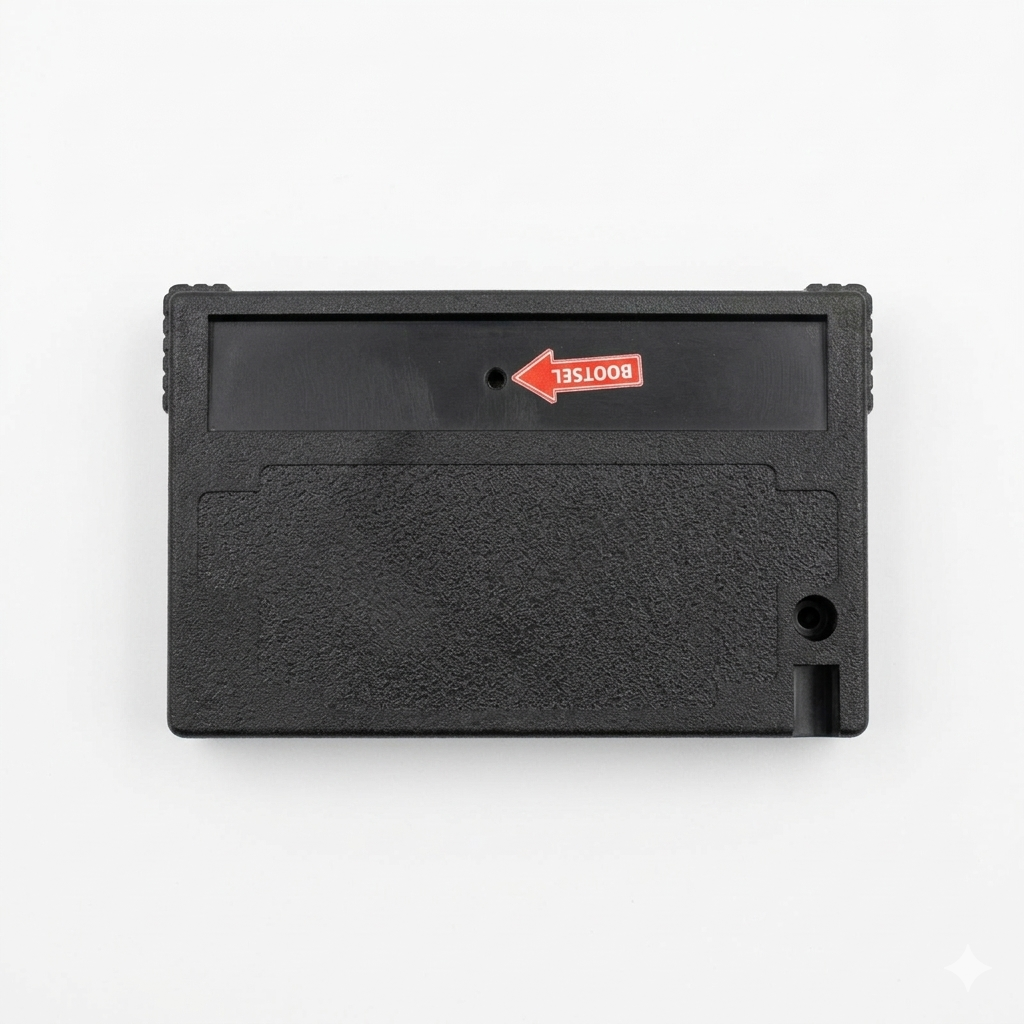
multirom.exe or loadrom.exe to generate the UF2 file for the mode you want.Hold BOOTSEL, connect USB, and copy the UF2 file to the PicoVerse drive that appears on your computer.
Your MSX now sees the cartridge in the selected role, whether that is MultiROM, Nextor, MIDI, keyboard, joystick, or a dedicated single-ROM cart.
Note: USB keyboard mode is not intended for FPGA-based MSX systems or machines with integrated PPI designs such as the T9769 MSX-ENGINE. For keyboard-specific compatibility, check the project documentation.
For collectors, players, and hardware explorers
If you just want a dependable cartridge to run your software collection, PicoVerse 2040 does that. If you want Nextor storage, USB peripherals, MIDI integration, or a platform you can keep experimenting with, it does that too.
This is the cartridge for people who still believe the MSX has more left to give.
References
Reference Material
- PicoVerse 2040 Features Overview
- MSX PicoVerse 2040 PIO Strategy
- MSX PicoVerse 2040 Sunrise IDE Emulation for Nextor
- MSX PicoVerse 2040 Mapper Implementation (Sunrise + Nextor)
- MSX PicoVerse 2040 USB Keyboard
- MSX PicoVerse 2040 MSX-MIDI
- MSX PicoVerse 2040 MIDI-PAC
- GitHub Repository: cristianoag/msx-picoverse-public: MSX PicoVerse Public Repository
Reviews
There are no reviews yet.