If you’re using a PicoVerse cartridge, the USB-C port isn’t just there for flashing firmware… it can turn your MSX into a much more capable machine. With the right setup, you can boot straight into Nextor from a USB thumb drive and treat it as mass storage for your system.
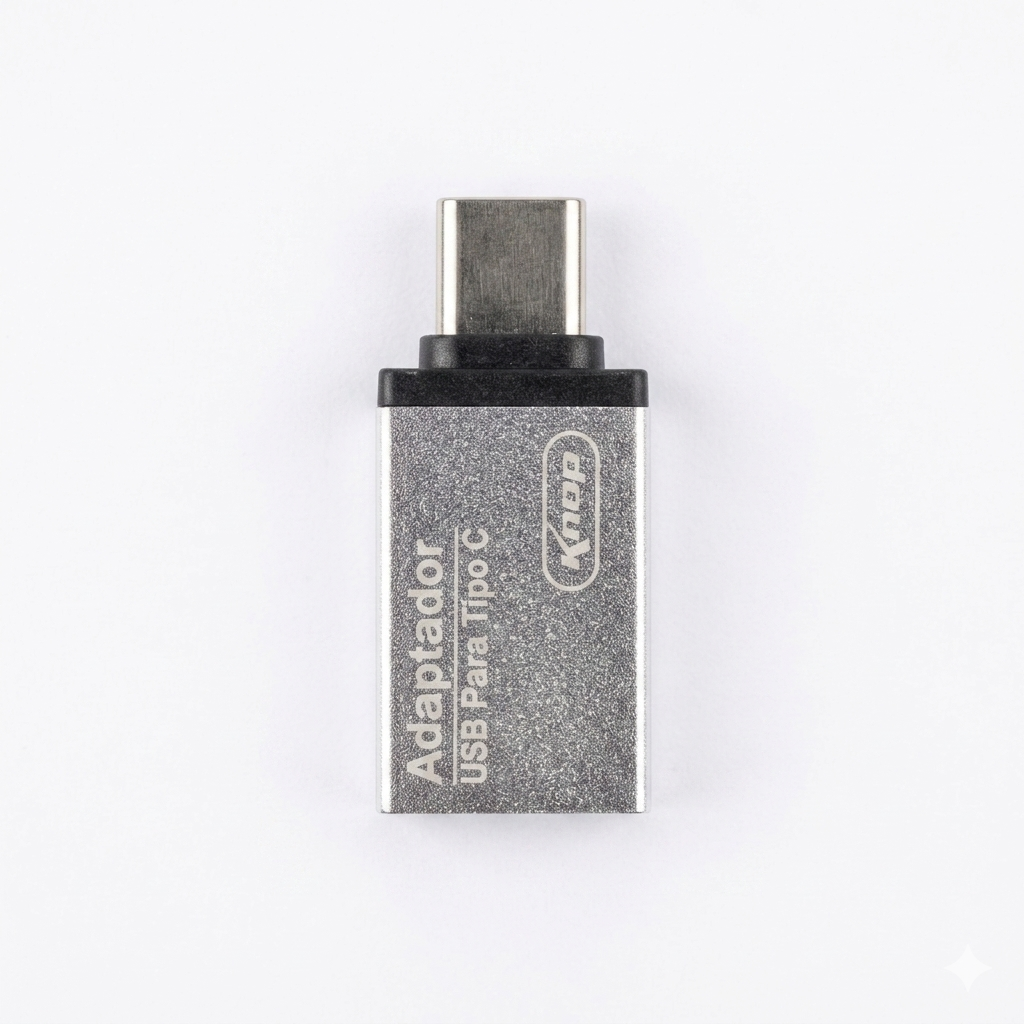
That’s where this USB-C OTG adapter comes in.
Why you need this adapter
The PicoVerse 2040 and 2350 expose a USB-C interface designed to operate in host mode. To actually plug in a standard USB flash drive, you need an OTG (On-The-Go) adapter that converts USB-C into a full-size USB-A port.
This adapter bridges that gap… simple, reliable, and exactly what you need to unlock USB storage on your MSX.
What you can do with it
Once connected, your MSX gains access to modern storage workflows through Nextor:
- Boot your MSX using Nextor from a USB flash drive
- Store and manage files on a FAT-formatted pendrive
- Run classic tools like SofaRun to launch:
- ROM files
- DSK disk images
- Take advantage of PicoVerse features like:
- Optional memory mapper support, combined with Nextor
In practice, this means you can carry your entire software library on a small USB stick and use your MSX without constantly swapping cartridges or disks.
How it fits into your setup
- Prepare your FAT formatted USB drive with:
- Nextor system files
COMMAND2.COM
- Plug the drive into this OTG adapter
- Connect the adapter to the PicoVerse USB-C port
- Power on your MSX and boot into Nextor
From there, your USB drive behaves like a native storage device.
Designed for PicoVerse users
This is not a generic add-on, it’s a small but essential piece to fully enable one of the most powerful features of the PicoVerse platform. If you plan to use Nextor over USB, this adapter is part of the baseline setup.
No drivers, no complexity… just plug it in and extend what your MSX can do.
Reviews
There are no reviews yet.